 Kindling
Referrals
Referral tracking for the front desk
Keep the referring office, missing paperwork and next callback together. See which referrals are ready to contact and which have a booked visit.
Kindling AI for Clinics
How it works
Create the referral
Add it directly or start from a call follow-up. Record the referring office, visit requested and how it arrived.
Check what’s missing
Use your own checklist. An incomplete referral stays out of the ready-to-contact list until staff have what they need.
Log attempts and record the outcome
Staff log their attempts and work toward a booking from one follow-up. The referral keeps the history if someone else picks it up.
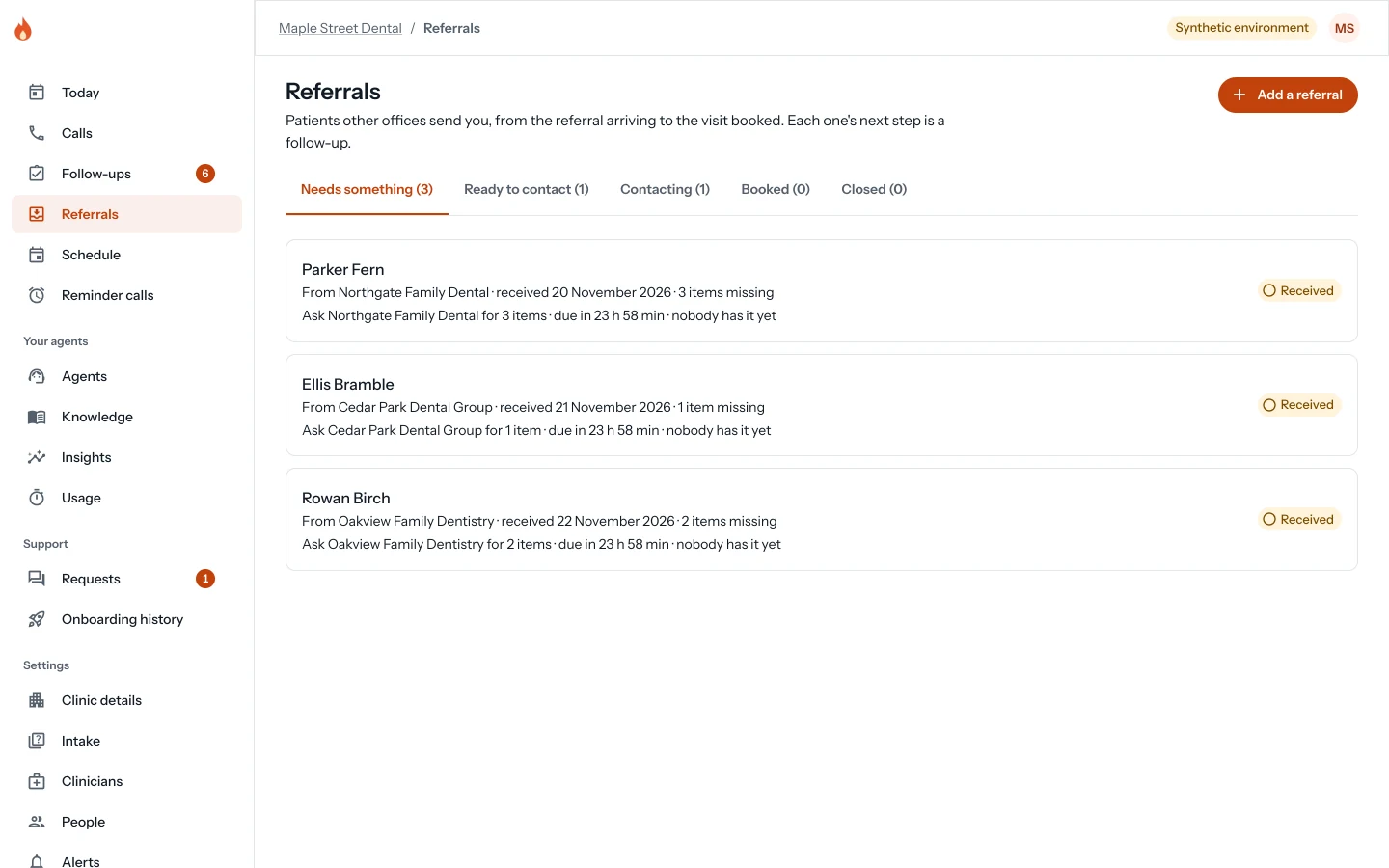
Sample walkthrough
An office sends an incomplete referral
Made-up example. It won’t place a call or change any records.
Needs something
The referral shows a missing item and an outreach task for staff.
Ready to contact
Staff mark the item received and move on to patient outreach.
Booked
The referral shows a confirmed visit, not just an attempted call.
Kindling AI for Clinics
Ask for a product walkthrough
Bring one call your front desk handles every day. We’ll show where it goes and what staff see if it needs a callback.