 Kindling
Workspace assistant
Find the right follow-up without hunting through the dashboard
Ask what’s open or pull up a record while you’re working. For supported tasks, the assistant can show you a change before it makes it.
Kindling AI for Clinics
How it works
Find and open work
Ask about a queue or a record you can already access. The assistant can take you to the relevant view.
Review a proposed change
For supported changes, the assistant shows the action before you confirm. Certain decisions still require the person to use the screen.
Check the history
Review what the assistant changed. Undo is available for supported actions where the underlying record still allows it.
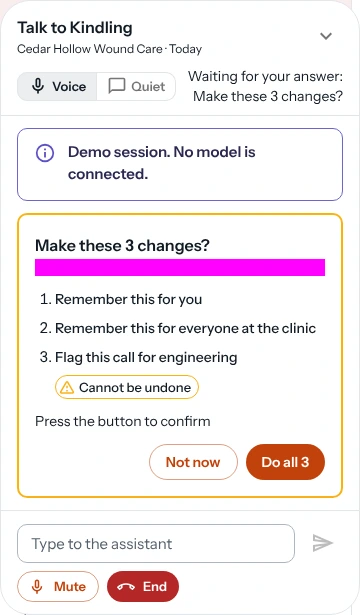
Sample walkthrough
The front desk asks what’s still open
Made-up example. It won’t place a call or change any records.
Find the queue
The assistant points the user to the relevant follow-ups.
Propose
For a supported handoff, the user sees which record and action it intends to use.
Review
The staff member decides whether to apply it or leave the work unchanged.
Kindling AI for Clinics
Ask for a product walkthrough
Bring one call your front desk handles every day. We’ll show where it goes and what staff see if it needs a callback.