 Kindling
Service operations
See which clinic needs help, and why
Start with the shift board, then open the clinic with a problem. See its latest checks, answering lines and who’s handling the incident.
Kindling AI for Agencies
How it works
Start with the shift board
See work that needs attention, what’s assigned to you and what should be handed to the next shift.
Open the relevant clinic
Inspect service status, answering lines and agent versions. Use role-scoped tools and find clinic-content access in the activity record.
Follow the incident through recovery
Review open incidents, who owns them, affected clinics, recent checks and recovery status.
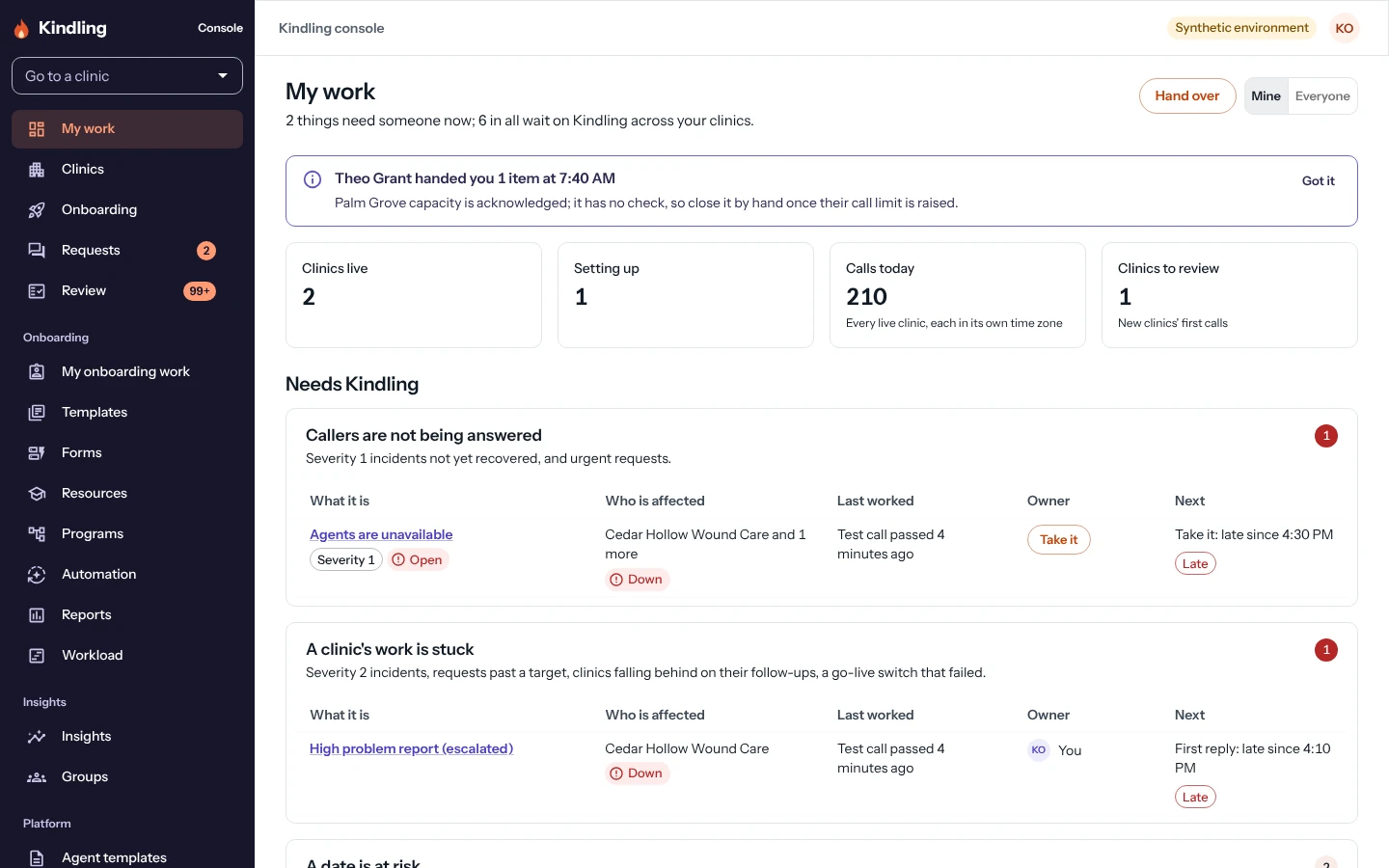
Sample walkthrough
One clinic’s line needs attention
Made-up example. It won’t place a call or change any records.
Spot it
The operator sees a service item on the shift board.
Inspect it
The clinic page shows the line status and when it was last checked.
Own it
The operator takes the incident and records the next update.
Kindling AI for Agencies
Ask for a product walkthrough
Bring one client and one workflow. We’ll walk through the agent setup, what a client can see, and where your team handles support.