 Kindling
Support and incidents
A support desk that shows where the problem started
A clinic can report the problem from the affected call, appointment or setup step. The operator gets a ticket with the starting point already attached.
Kindling AI for Agencies
How it works
Start with context
A clinic can open a request from a call, appointment, agent or onboarding step instead of describing it from scratch.
Assign and prioritize
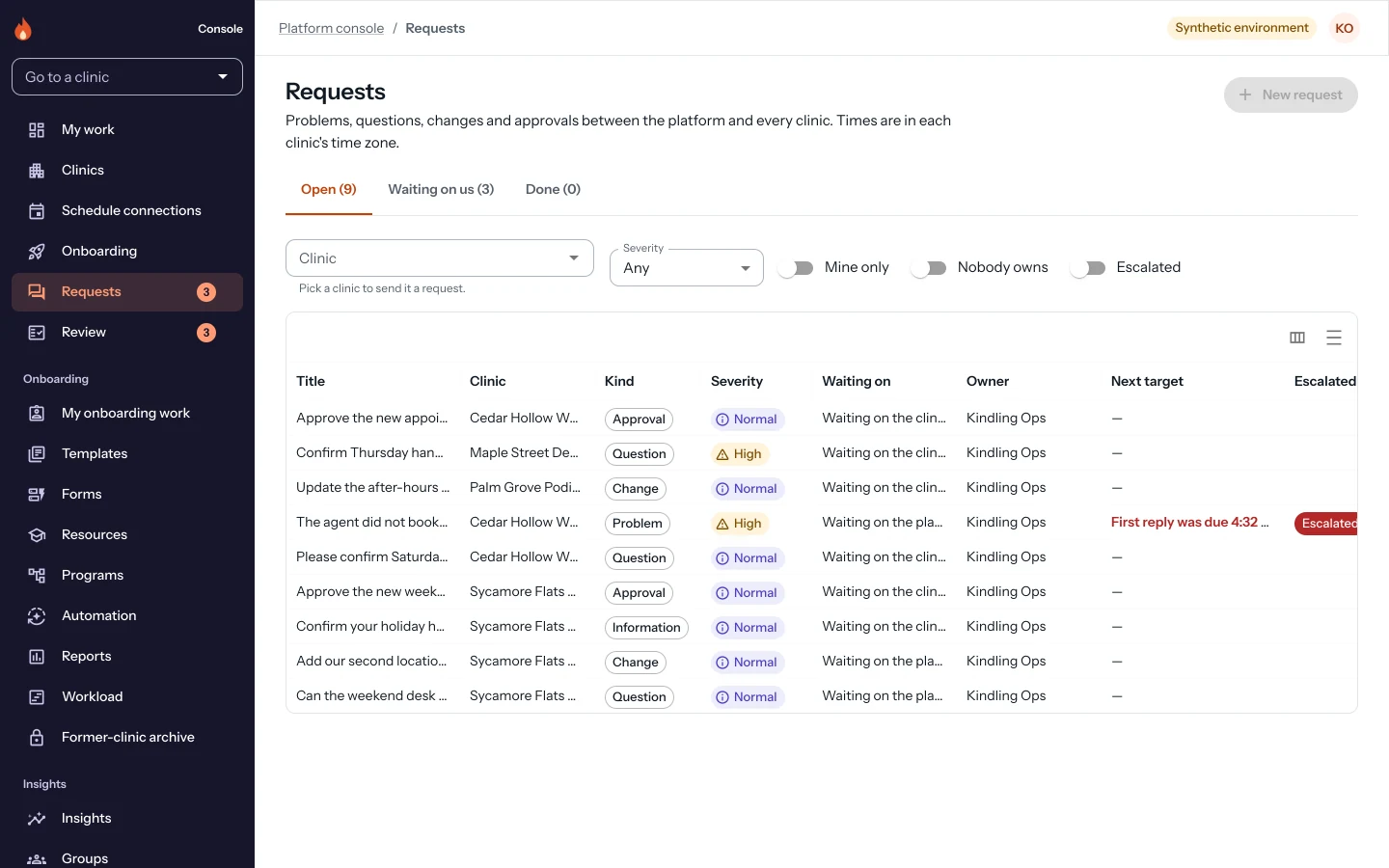
Use the shared request queue to see ownership, severity, whether the item is escalated and which team owes a response.
Link related service work
Connect a clinic’s request to an incident, share a service update and track recovery separately from the support conversation.
Sample walkthrough
Two clinics report a similar problem
Made-up example. It won’t place a call or change any records.
Clinic request
Each clinic reports what happened from its own workspace.
Operator incident
The operating team links the related requests to one incident.
Resolution
Clinic updates and service recovery remain separate from one another.
Kindling AI for Agencies
Ask for a product walkthrough
Bring one client and one workflow. We’ll walk through the agent setup, what a client can see, and where your team handles support.