 Kindling
Number and line management
Phone numbers, answering rules and line status by clinic
See which number belongs to which clinic, what answers it on each weekday and whether anyone has checked the line.
Kindling AI for Agencies
How it works
Review number inventory
See numbers held for clinics and connected carrier inventory where configured. Inventory status alone does not prove a line can carry voice.
Set who answers
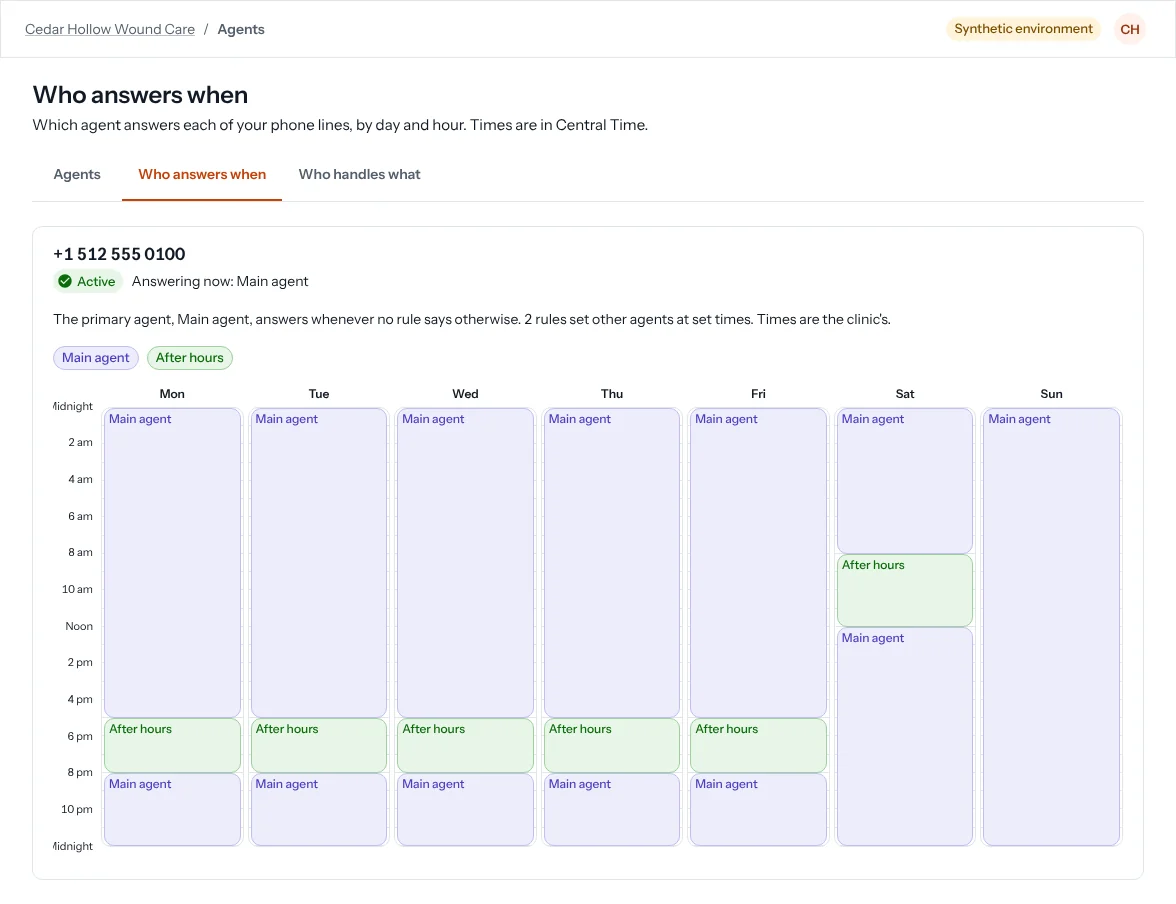
Review each line’s default agent, weekday rules and staff destinations. Keep the clinic’s handling plan visible to the operator.
Check the actual line
Check the line’s status and test history. A number on the list isn’t the same as a line you’ve actually called.
Sample walkthrough
A second clinic is added to the network
Made-up example. It won’t place a call or change any records.
Record the line
Associate the setup with the correct clinic.
Review rules
Select the agent and check how staff coverage is configured.
Check readiness
Require line evidence separately from the number’s inventory status.
Kindling AI for Agencies
Ask for a product walkthrough
Bring one client and one workflow. We’ll walk through the agent setup, what a client can see, and where your team handles support.