 Kindling
Agency console
Clinic billing and agency usage
Set up a clinic payer, understand metered usage and keep your clinic invoices separate from the host statement.
Who it’s for Agency owners and billing operators
On this page
Set the payer and terms
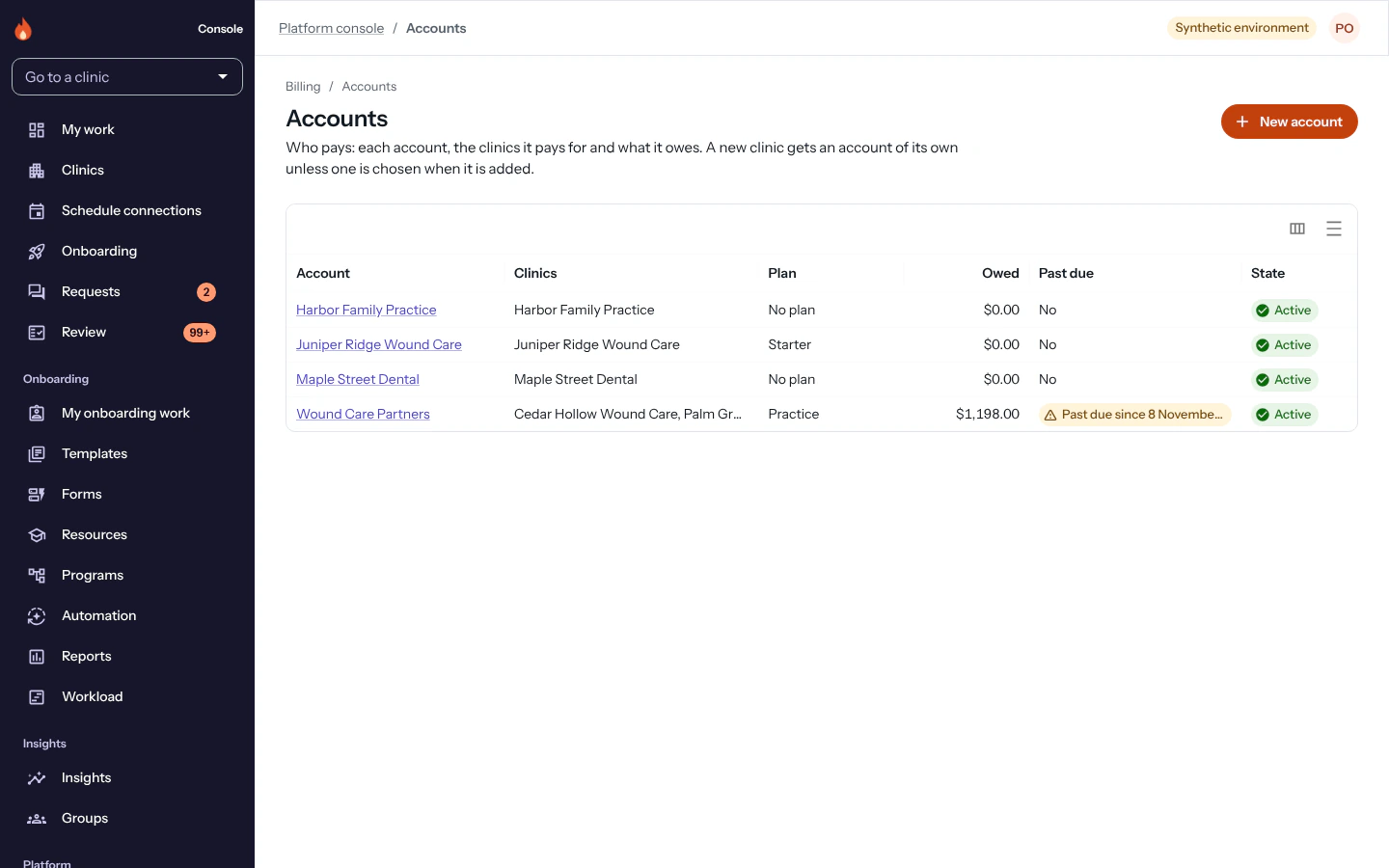
Open Billing → Accounts. A clinic can pay from its own account or share a payer with other clinics. Set the account’s contacts and terms, review Who sees the whole account and assign the correct plan to each clinic from its intended date.
Open Billing → Plans to compare versions. Draft the included minutes, overages, rounding, number or reminder charges and other terms. Check A worked example and review before publishing. A published version is read-only; create a new version to change it.
Read usage and month status
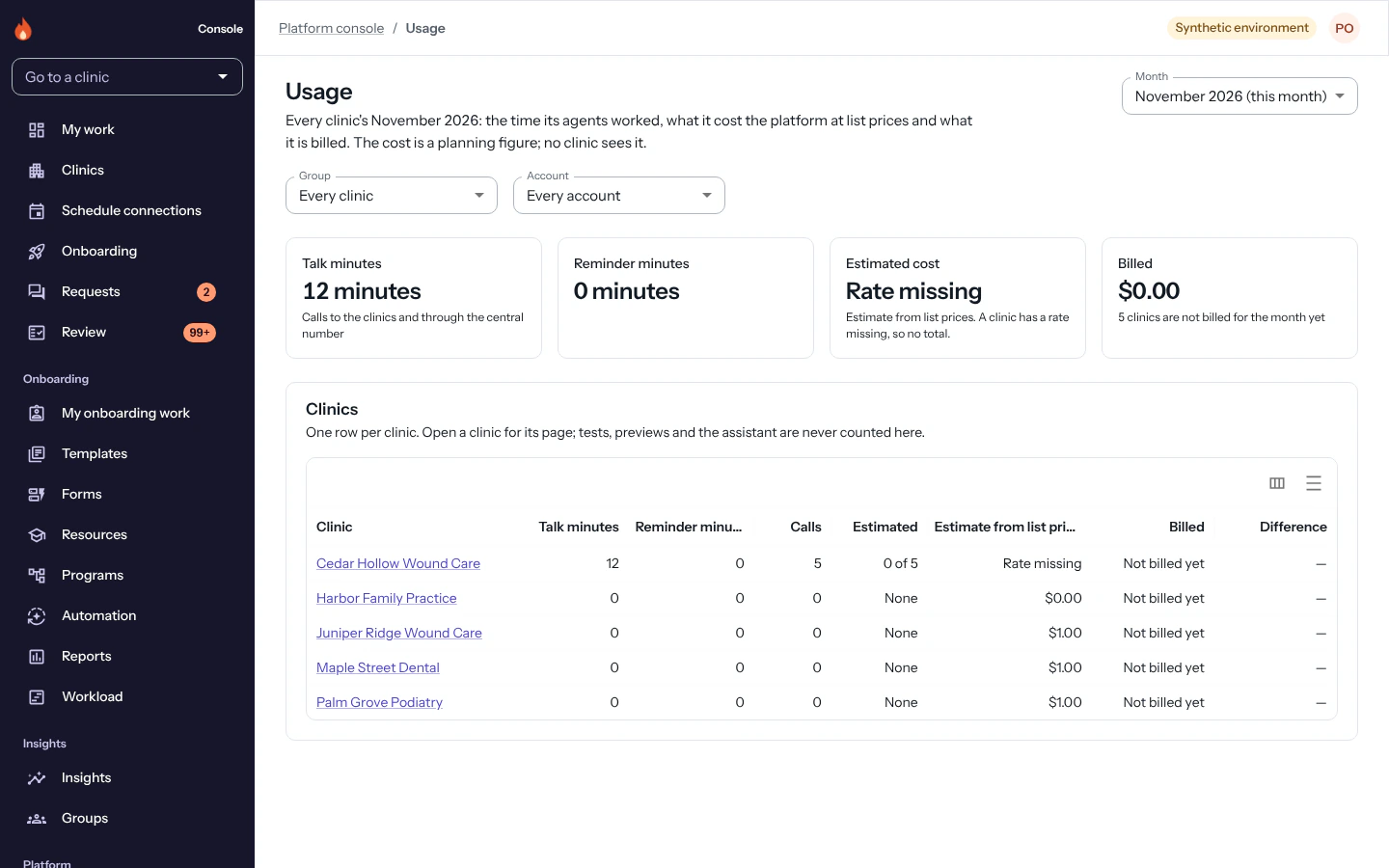
Billing → Usage separates talk time, reminder minutes, call counts and estimated time. Narrow to a clinic, group or account. A missing cost rate is not zero; estimated cost is not an invoice. Test calls, previews, checks and assistant use are tracked separately from the clinic’s ordinary calls. A closed billing month keeps the billed figures as sealed; late metering can appear in a later open month.
Review, issue and record payment
- Open Billing → Invoices → To review. Open the draft, inspect the per-clinic lines and Where this comes from, apply permitted adjustments or credits and read back the totals.
- Use Issue to make the reviewed invoice official. An issued invoice is not editable like a draft. Download the PDF or send it only if configured. Issuing a PDF does not collect money.
- For a manual payment, record the amount and reference after it is received. Record refund logs the entire selected payment after it is returned outside Kindling; it does not move money. Reconcile partial provider refunds using the provider record instead.