 Kindling
Clinic workspace
Start the clinic day
Use Today to pick up urgent work, understand what the phone agent handled and hand off an open queue.
Who it’s for Clinic front desk and administrators
On this page
Start in Today
Open Today in the selected clinic. Read any service notice or handover note first, then check Needs someone now, Yours and With the team. A follow-up shows why it exists, its owner, when it is due and, if applicable, how many times staff have tried to reach the caller.
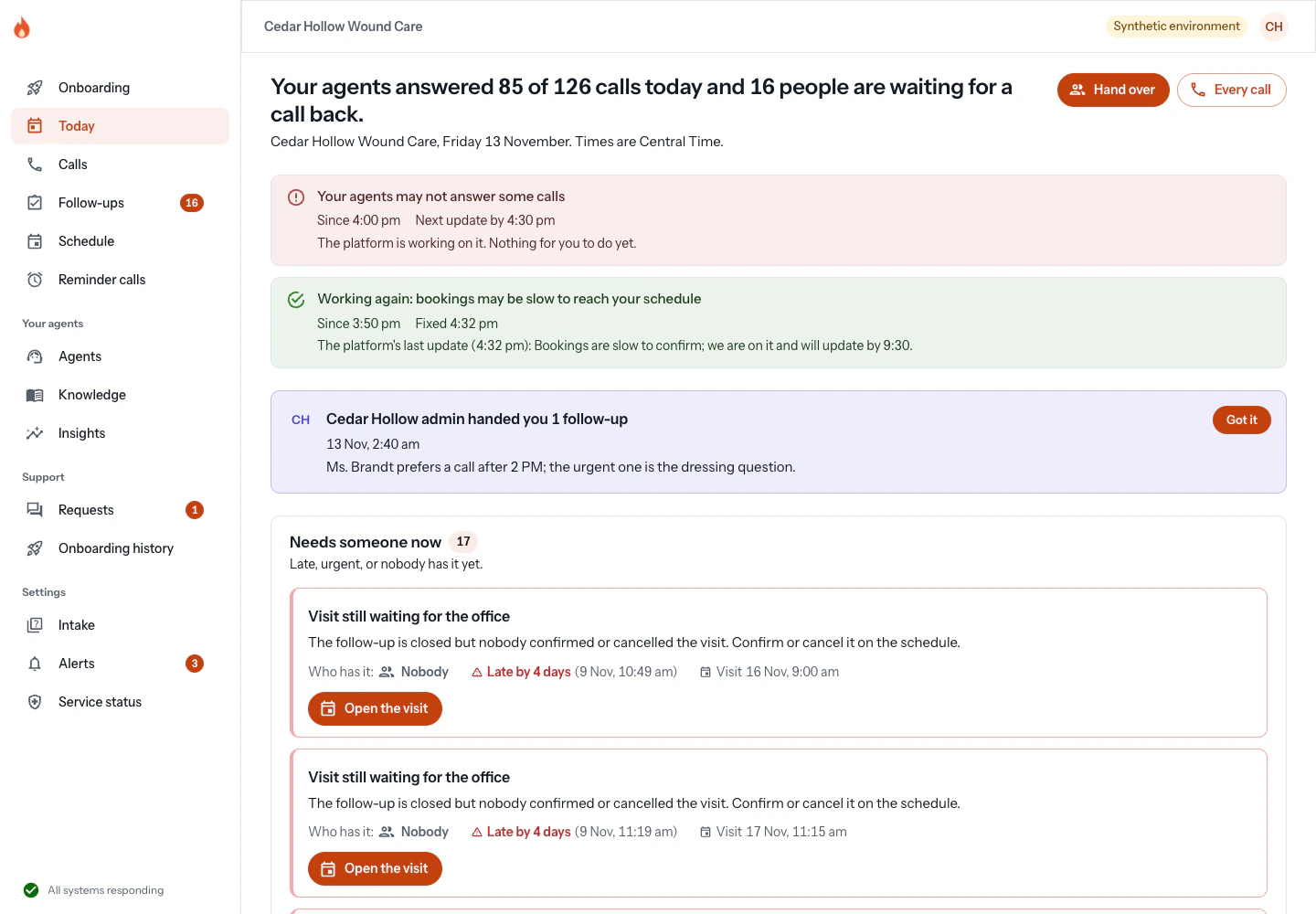
- Start with urgent, late or unassigned items. If the item has a usable callback number, Call back opens that number on a device that can dial.
- Use Book a time, Open the visit or Reply when that is the next step instead of calling. Open the call from the row menu when you need the source record.
- Use Claim it or Log a call or resolve to keep the queue accurate. Check Today’s calls and Happening now for context; don’t use either as the list of work still outstanding.
Hand work to the next shift
Hand over moves your assigned follow-ups to a colleague or puts them back in the unassigned queue. You can add a note; the next owner uses Got it to acknowledge it. Clinic admins can use Who has what to move another person’s work.
Why your menu may differ
Clinic staff and admins can use Today for a voice clinic. A non-voice clinic uses its onboarding and support views without the phone workday. Auditors and group managers use their own reporting or configuration views, not the front-desk queue.
Triage the board and check ownership
- Clinic staff and admins: in Today, read the incident notice and any new handover note at the top. A notice names the impact, the latest update and the next update if one is due; a recovered notice remains for the day. Use Got it on a handover note addressed to you to acknowledge it, not to close the work.
- Work Needs someone now in its displayed order before Yours and With the team. A row may be a follow-up, a visit waiting for approval without a follow-up, or a request due a clinic reply. Its time is the callback promise or due time, not necessarily when the call ended.
- Use More for on a row to claim unowned work, change assignment where permitted, log a call or resolve it, or open the source call. Call back passes the number to your device: it does not log an attempt. If there is no callback number, use the available action or open the source; do not tell someone a callback was promised.
- Staff and clinic admins can use Hand over only when they own follow-ups. Choose a colleague or Nobody and optionally leave a note. Clinic admins and agency operators can use Who has what to see held and late counts and Move their work to transfer another person’s queue. Agency operators do not hand over a queue of their own here.
- Check Happening now and Today’s calls below the work queue for call activity, not tasks. A confirmed or kept booking can remove the pending item from Today and Calls → Needs a person before staff have recorded an outcome in Follow-ups.