 Kindling
Host administration
Host backends, limits and wholesale billing
Control what an agency can use, review platform plan limits and keep host invoices separate from clinic charges.
Who it’s for Host administrators
On this page
Offer and review backends
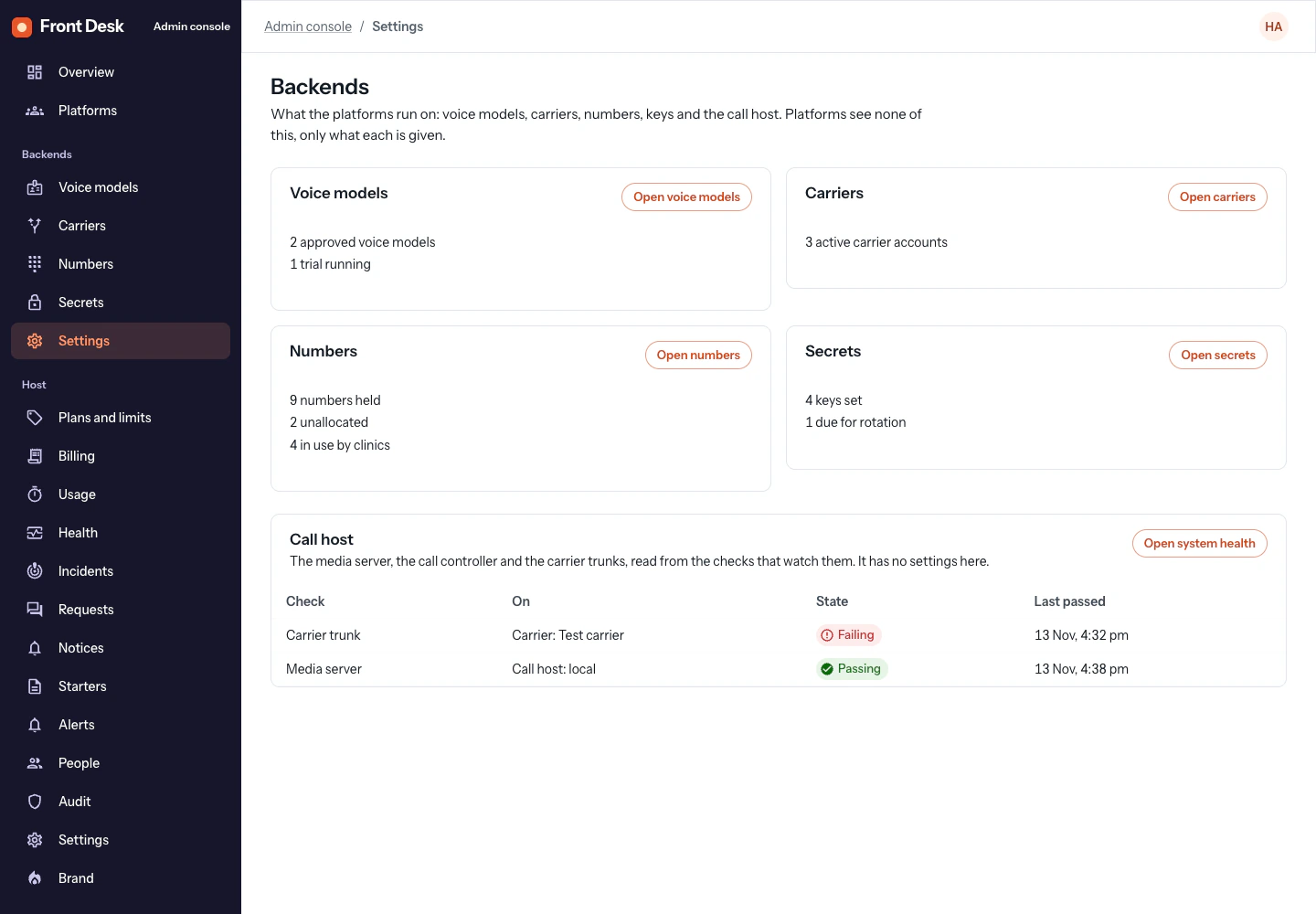
Backends → Settings is a read-only overview, despite its menu name. It summarizes approved models and active trials, carrier accounts, the number pool and key rotation status. The Call host section shows the latest checks for media, the call controller and carrier trunks. Use the linked pages for backend controls or system health; this page does not edit the call host.
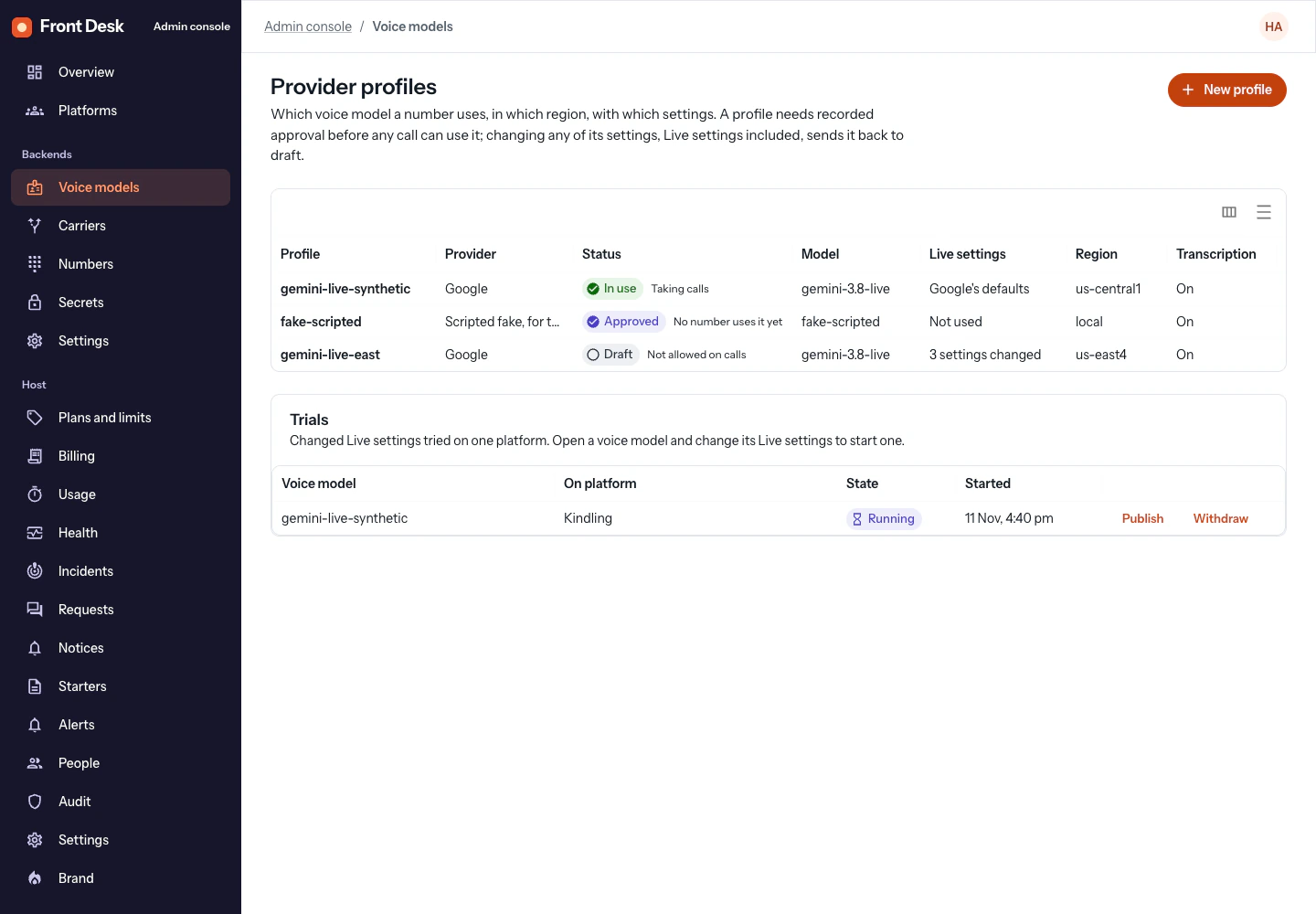
- Backends → Voice models: manage provider profiles and approval. Try a draft configuration on one platform, then publish or withdraw the trial after reviewing its effect. Agencies can read only the models they are offered.
- Backends → Carriers and Numbers: inspect authorized carrier accounts and inventory, then allocate or take back numbers in the host pool where permitted. Carrier inventory preview is not line assignment, activation or call proof.
- Backends → Secrets: authorized administrators manage write-only credentials with a fresh sign-in. The UI shows only fingerprints and status, never the value. Platform support access does not expose secrets.
- Platforms → a platform → Backends: review the platform’s offered/default models, carriers, allocation and live grants. Withdrawing a grant disables the effective switch without erasing the platform’s underlying choice. A model currently in use cannot simply be withdrawn.
Version plans and check limits
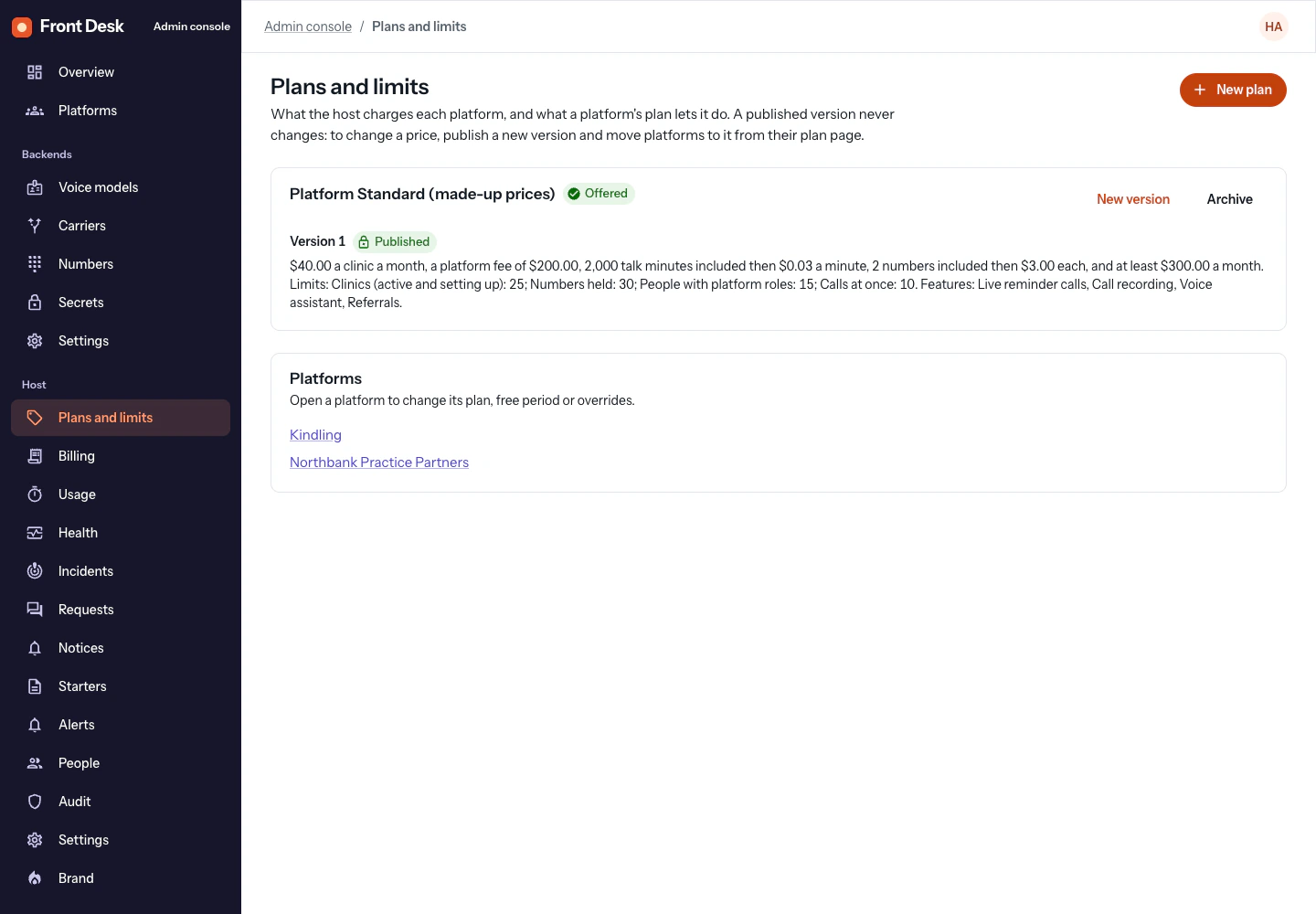
- Open Plans and limits to draft fees, included usage, overage, numbers, minimums and entitlements. Preview the effect using a selected platform’s available month before publishing.
- From the platform’s Plan view, choose the version, effective date and any permitted overrides or free period. Show the platform where it can read Plan and limits and its Statement.
- Distinguish hard limits from warnings. Capacity limits can block new clinics, people or numbers. Monthly minute thresholds warn without stopping calls. Other limits can send a call to the clinic’s configured fallback or bound tests and assistant usage.
Use the wholesale ledger
Host Billing shows what platforms were billed, paid or owe and how that compares with estimated costs. Review and issue platform invoices, download PDFs, record external payments or apply an eligible manual credit. Issuing a wholesale PDF does not collect a payment or present the invoice online.