 Kindling
Agency console
Incidents, requests and platform settings
Handle clinic problems from report to resolution, use evidence for recovery and manage agency-level settings.
Who it’s for Agency operations and support teams
On this page
Work the support desk
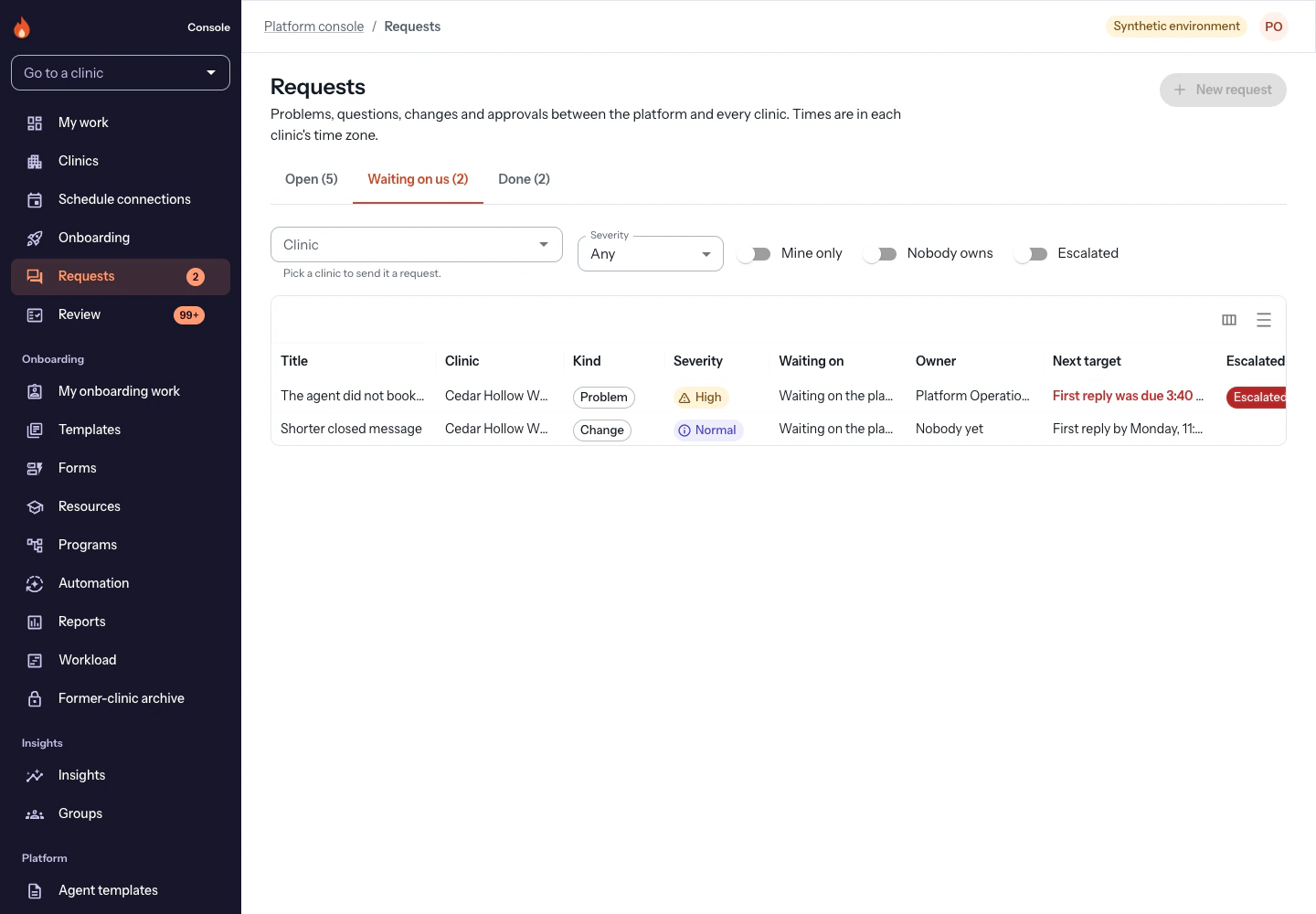
Open Requests. Filter to Waiting on us, unowned, escalated or the severity you need. Open the thread, read the response target and check the linked call, visit, follow-up, agent or onboarding step only when authorized. Take the request, reply in the thread, or attach it to an eligible incident. The clinic can see when its response is next.
An incident’s updates and recovery can reach linked open clinic requests. A clinic’s support request does not go straight to the host. Use Platform → Service status → Ask the host if you need to raise an agency-level request.
Distinguish an update from a recovery
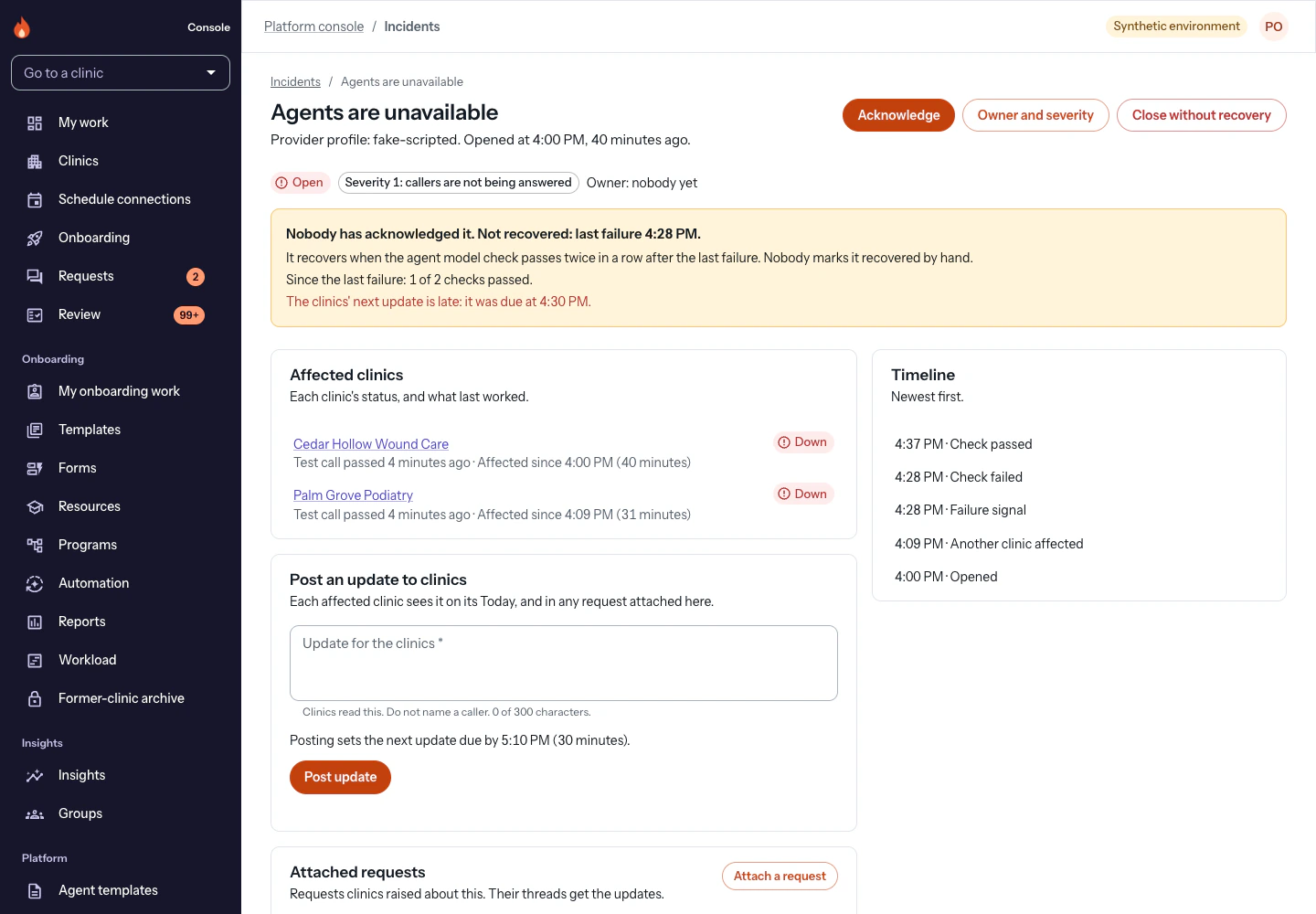
- Open Platform → Incidents or the incident on My work. Read its state, severity, affected clinics and latest check evidence. A shared host incident is read-only here; use Service status → Ask the host. Acknowledge or take an incident when your agency owns the response.
- For an agency-owned incident, Post an update to clinics shares a concise service update without caller details. Attach related clinic requests to keep updates together.
- Wait for the covering checks to pass twice after the last failure before the incident shows Recovered. If you need to close without recovery, choose the explicit action and record why. Closing is not recovery.
Platform → Service status shows host-visible incidents and notices, and optional starter updates. An internal host incident is not automatically visible to an agency. Platform → Alerts shows the agency’s alerts and delivery controls.
Monitor reminder calls across clinics
Open Platform → Reminder calls for each clinic’s reminder mode and planned, reached, confirmed, and reschedule or cancel counts for the last 30 days by appointment date. Select a clinic to open its Reminder calls page. Changes shows switch history for the past 30 days in the operator’s time zone.
- Reminder calls available controls whether eligible clinics can dial at all. When off, dry runs can still show who would be called.
- Call real patient numbers is separate. When off, calls are restricted to clinic test lists. Live calling also depends on the host grant, plan and clinic settings and is not part of the synthetic walkthrough.
Each platform switch change requires a reason and recent sign-in. Keep real numbers off for testing.
Review settings, brand and access
- Settings: review service, voice defaults and tests, assistant, onboarding, support and billing controls where available. From the host identifies inherited, locked or ungranted controls. Enabling an agency choice is not enough if the host has not granted it.
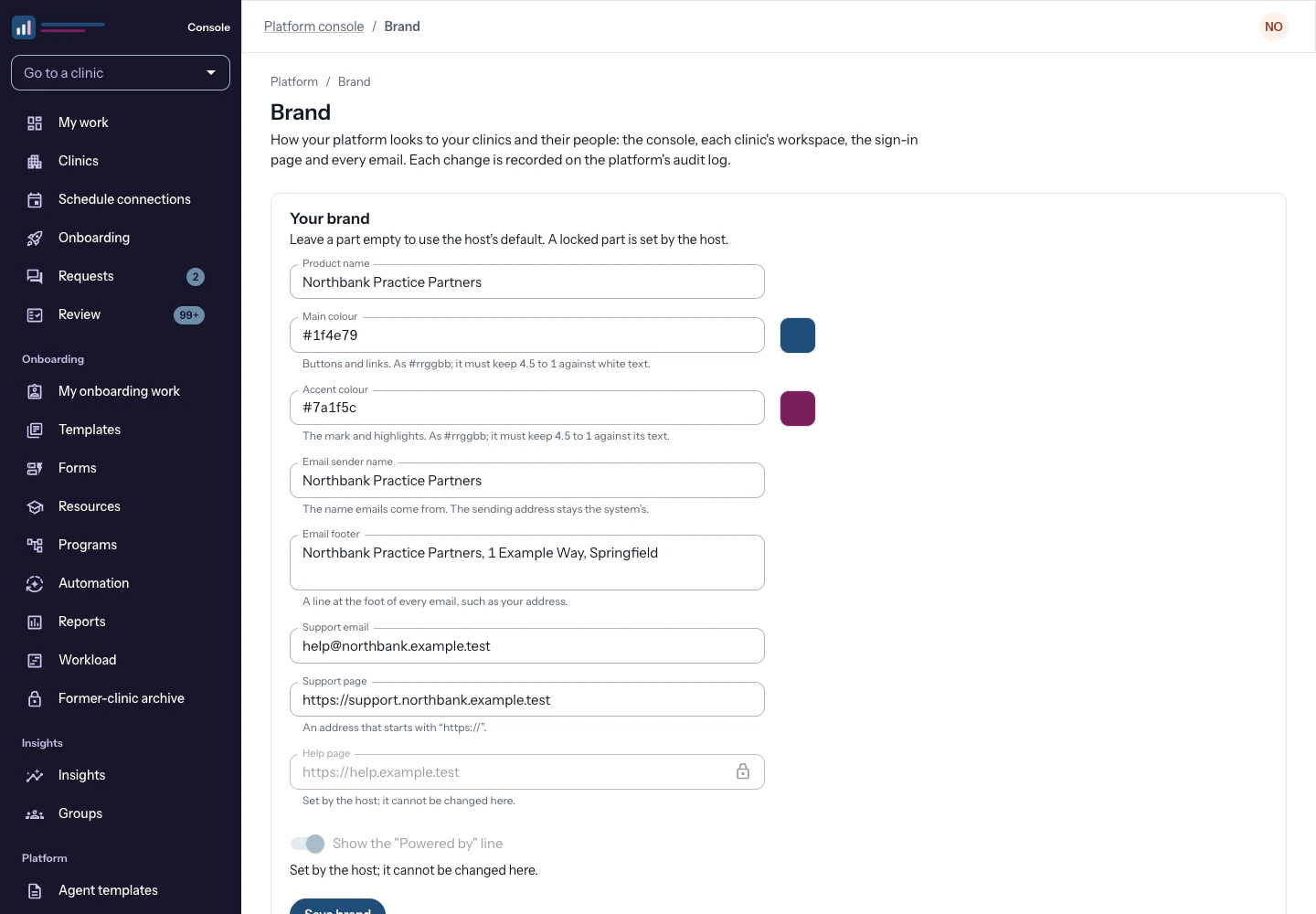
- Brand: edit the platform name, logo, colors, email branding and support contact where permitted. Preview the console, clinic workspace, sign-in and supported emails. Host locks take precedence; clinic accents and logo are separately governed.
- Support access: review scoped host access and its reason. A platform owner makes the allowed approval and access decisions. Audit shows platform actions and clinic links where permitted; a filtered download requires a reason and fresh sign-in.
- Assistant: use History and agency All changes to inspect its supported actions; direct clinic reads are still audited. It does not replace the agency’s role permissions or give the host access to clinic contents.